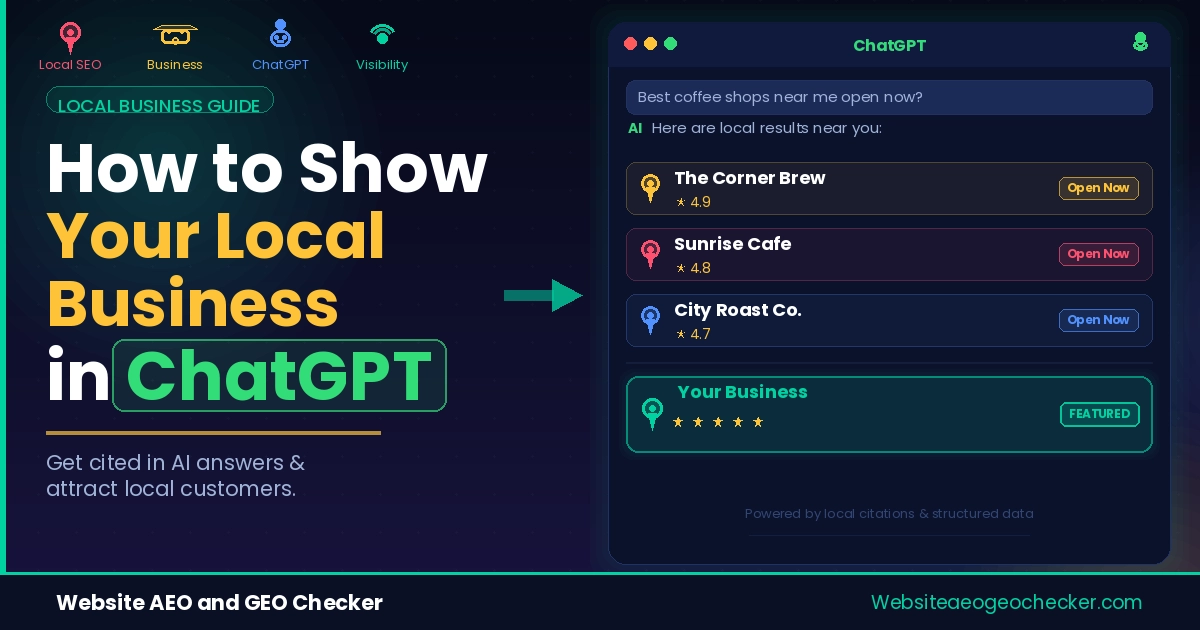
Your competitor down the street has worse reviews than you. Maybe even a worse website. But when someone asks ChatGPT for "the best [your service] near me," their name comes up and yours doesn't.
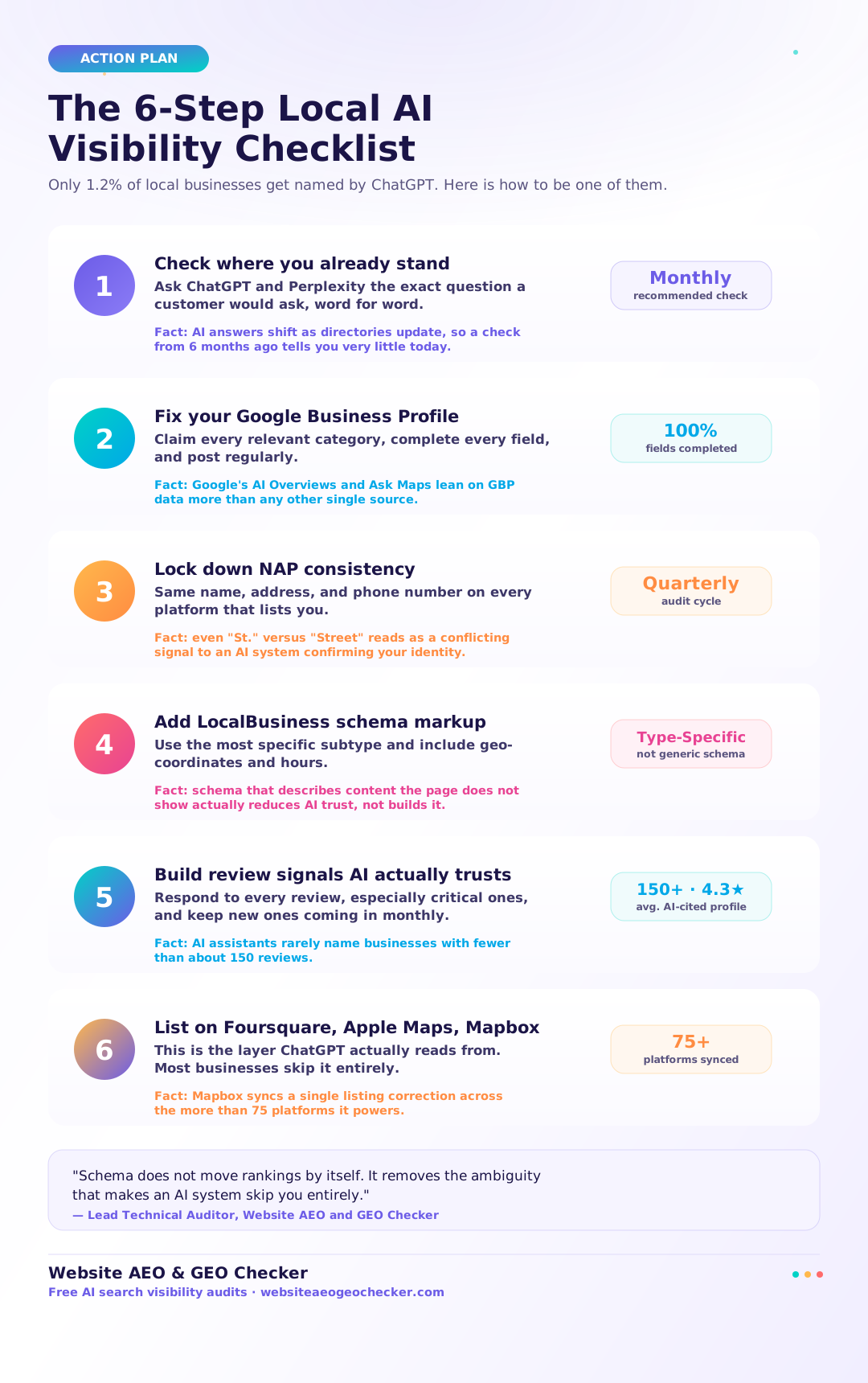
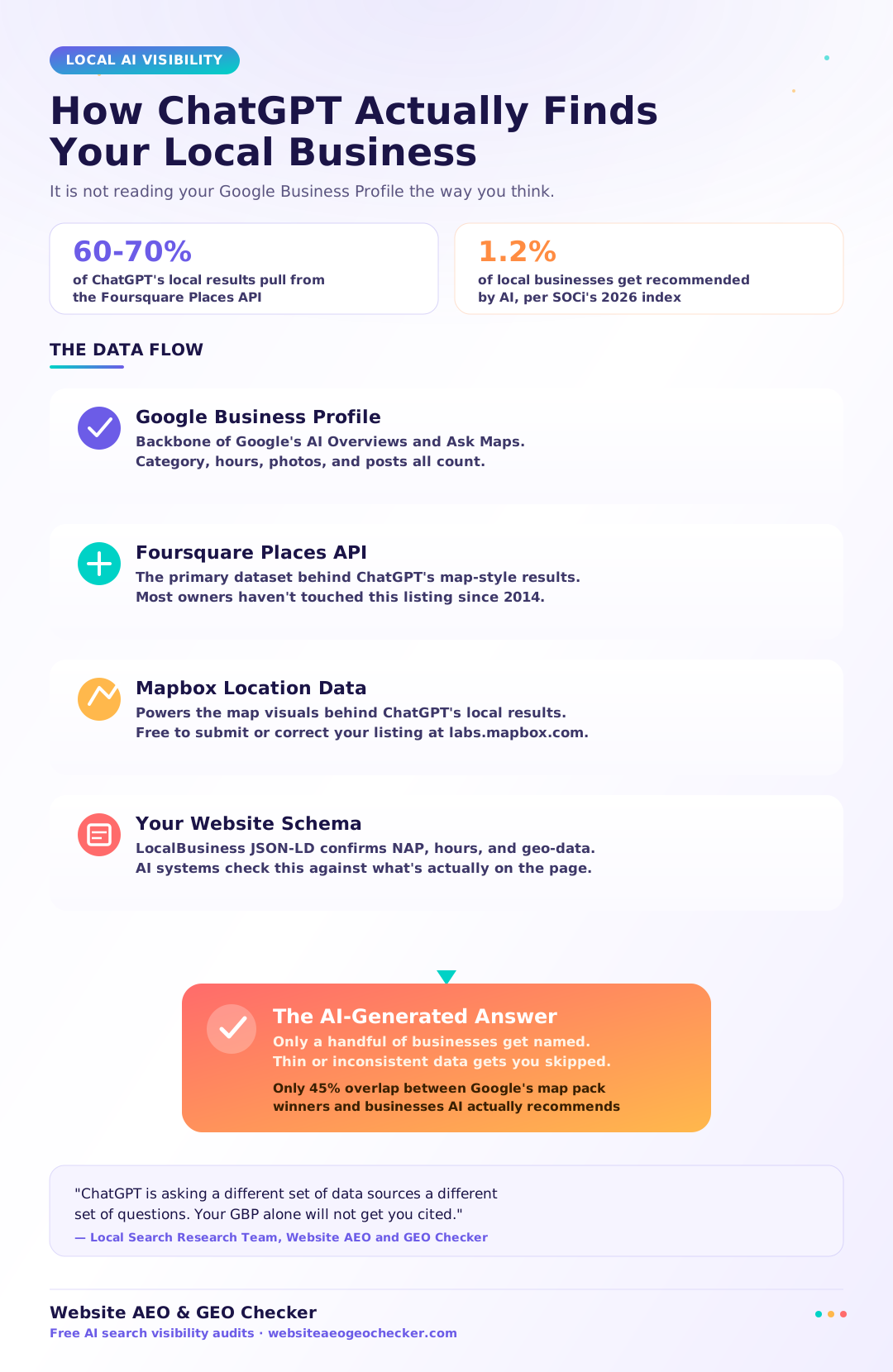
Here is the uncomfortable number behind that feeling. SOCi's 2026 Local Visibility Index looked at more than 350,000 business locations and found that ChatGPT recommends only about 1.2% of them when asked for a local option. Compare that to the 35.9% visibility rate the same businesses get in Google's 3-pack, and you can see the gap. Google has room for a dozen nearby options. ChatGPT names a few and stops.
As AEO and GEO analysts, we have a unique perspective on the issues companies are facing today. The leading issue for our business is: "Why does my competitor show up on ChatGPT and I do not?" The reasons are mostly unrelated to the quality of the business and instead are a handful of specific signals that are relatively easy to address. This article outlines the signals and the steps you can take to check whether you show up, as well as the corrective actions you can take, in the event that you do not.
Why ChatGPT and Perplexity Are Recommending Your Competitors (Not You)
Here is the thing most local business owners get wrong: they assume ChatGPT works like Google Maps. It does not.
ChatGPT does not obtain data for local business outputs from Google Business Profiles, unlike Google Maps. The first 60 - 70 percent of local businesses that ChatGPT obtains are from Foursquare's Places API. Foursquare is a business owner's data set that is relatively stagnant and outdated. The data from Foursquare is also used by ChatGPT's Mapbox. If you do not have a listing on Foursquare, or your listing is outdated or sparse, you are losing to your competitors even before users read any text on your website.
We tell every client the same thing in month one," says our head of local search research at Website AEO GEO Checker. "Your Google Business Profile is necessary, but it is not sufficient anymore. ChatGPT is asking a different set of data sources a different set of questions."
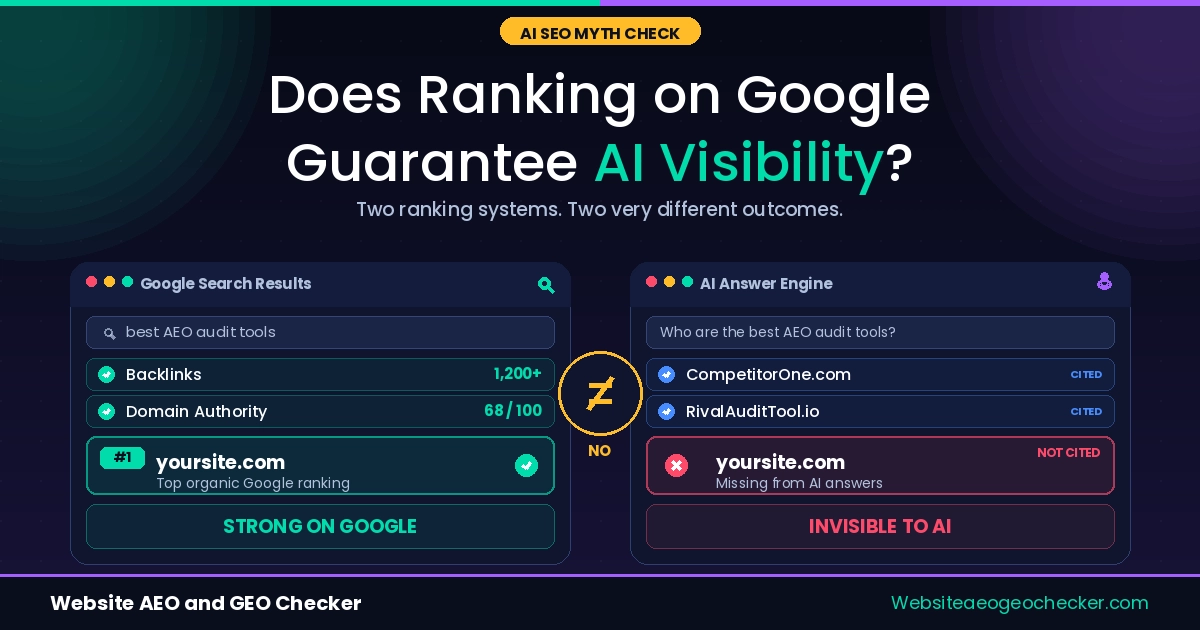
This matters because the overlap between ranking well in Google's map pack and appearing in AI recommendations is smaller than you would think. Only about 45% of businesses that rank well in traditional Google local search also show up in AI answers. More than half of the businesses winning the Google map pack are completely absent from AI answers. Strong local SEO does not transfer automatically. It has to be earned separately, on a different set of rails.
Step 1: Check Whether You Already Appear
Before changing anything, find out where you stand. Open ChatGPT and Perplexity and ask the exact question a customer would ask: "best [your service] in [your city]." Do this once a month and write down who gets named, not just whether you do.
Run the same check on your Free AI Visibility Checker, which tests whether AI systems can find, parse, and cite your business rather than guessing from a single manual prompt. Manual spot-checks are useful for a gut read, but AI answers vary by phrasing and by session, so one automated pass gives you a more reliable baseline than three manual tries.
What a ChatGPT local answer actually looks like:
Prompt: "best HVAC company near Round Rock, TX"
ChatGPT: "A few well-reviewed options nearby: Lonestar Air Solutions (4.6★, 210+ reviews, listed on Foursquare with same-day service hours), CoolBreeze HVAC, and Round Rock Heating & Air. Lonestar stands out for consistent recent reviews mentioning fast response times."
Notice what earned the top spot: a review count and rating, a directory listing (Foursquare, not Google), and specific, recent review language. That combination is what Steps 2 through 6 are built to produce.
Step 2: Fix Your Google Business Profile First
Your GBP is important for local visibility, even with the recent ChatGPT tools that reference Foursquare and Mapbox. The Gemini integration with Google's AI tools, like AI Overview and Ask Maps, creates GBP-dependent products. The completeness of your GBP is an essential factor for both the AI tools from Google and the web reputation metrics read by ChatGPT and Perplexity.
You should add any applicable category to your profile, not just the primary one. Be thorough when adding your services, attributes, hours, and more. You should add new posts and pictures to your GBP regularly. It is clear to Google and AI crawlers that a profile that is further left blank with three-year-old logos is a neglected profile. This gives you little visibility in search results..
Step 3: Lock Down NAP Consistency Everywhere
For AI crawlers and tools, NAP means that your Name, Address, and Phone number need to be identical and consistent in Google Business Profile, your website, and other business listings, Foursquare, Apple Maps, Yelp, etc. Even small variations are perceived as differing signals for AI systems that are validating the existence of a business entity. For example, "St." vs "Street".
What a NAP mismatch looks like in practice:
| Platform | Listed Address | Listed Phone |
|---|---|---|
| Website | 123 Main St, Suite 4 | (512) 555-0148 |
| Google Business Profile | 123 Main Street, Ste 4 | (512) 555-0148 |
| Foursquare | 123 Main St | (512) 555-0199 (old number) |
| Yelp | 123 Main St., #4 | (512) 555-0148 |
Four platforms, three different address formats, and one outdated phone number still live on Foursquare, the exact dataset ChatGPT reads from most. The fix is to standardize one format (for example, "123 Main St, Suite 4") and push that identical string to every listing, then correct the stale Foursquare number the same day it's found.
This is not a set it and forget it matter either. Addresses change when moving, contact numbers change with new providers, and business hours need to be updated when the season changes. You should audit your NAP at least once every three months and more often when a change occurs. An out-of-date listing is worse than no listing. This teaches the AI systems not to trust your business existence signals. NAP stands for Name, Address, Phone number.
Step 4: Add LocalBusiness Schema Markup
Schema is the translation layer between your website and the machines reading it. Without it, an AI system has to guess what your address field means, what your hours mean, what type of business you actually are. With LocalBusiness schema in place, none of that is a guess.
Use the most specific subtype available. A dental practice marked up as generic "LocalBusiness" gets less weight from AI systems than one marked up as "Dentist." A plumber should use "Plumber," not the parent type. Include your name, address, phone, geo-coordinates, opening hours, and a sameAs property linking to your verified social profiles and directory listings. And make sure everything in your JSON-LD schema matches what is actually visible on the page. AI systems now check for that alignment directly, and schema that describes content the page does not actually show reduces trust rather than building it.
A working example, for a dental practice (swap in your own subtype and details):
{
"@context": "https://schema.org",
"@type": "Dentist",
"name": "Example Family Dental",
"address": {
"@type": "PostalAddress",
"streetAddress": "123 Main St, Suite 4",
"addressLocality": "Round Rock",
"addressRegion": "TX",
"postalCode": "78664",
"addressCountry": "US"
},
"telephone": "+1-512-555-0148",
"geo": {
"@type": "GeoCoordinates",
"latitude": 30.5083,
"longitude": -97.6789
},
"openingHoursSpecification": [
{
"@type": "OpeningHoursSpecification",
"dayOfWeek": ["Monday", "Tuesday", "Wednesday", "Thursday", "Friday"],
"opens": "08:00",
"closes": "17:00"
}
],
"sameAs": [
"https://www.facebook.com/examplefamilydental",
"https://foursquare.com/v/example-family-dental",
"https://www.yelp.com/biz/example-family-dental"
]
}
Drop this in a <script type="application/ld+json"> tag on each location page, and swap Dentist for whatever subtype matches your business (Plumber, Restaurant, HairSalon, and so on).
Real example: Priya Nakamura runs a 3-location dental practice outside Austin. Her GBP was solid, but her site had no schema at all and her Foursquare listing still showed a phone number from 2019. She fixed the NAP mismatch She added Dentist-specific LocalBusiness schema to each location page; and ran a fresh listing through the Foursquare and Mapbox contribute portals. ChatGPT started citing her practice by name in local recommendations within 5 weeks.