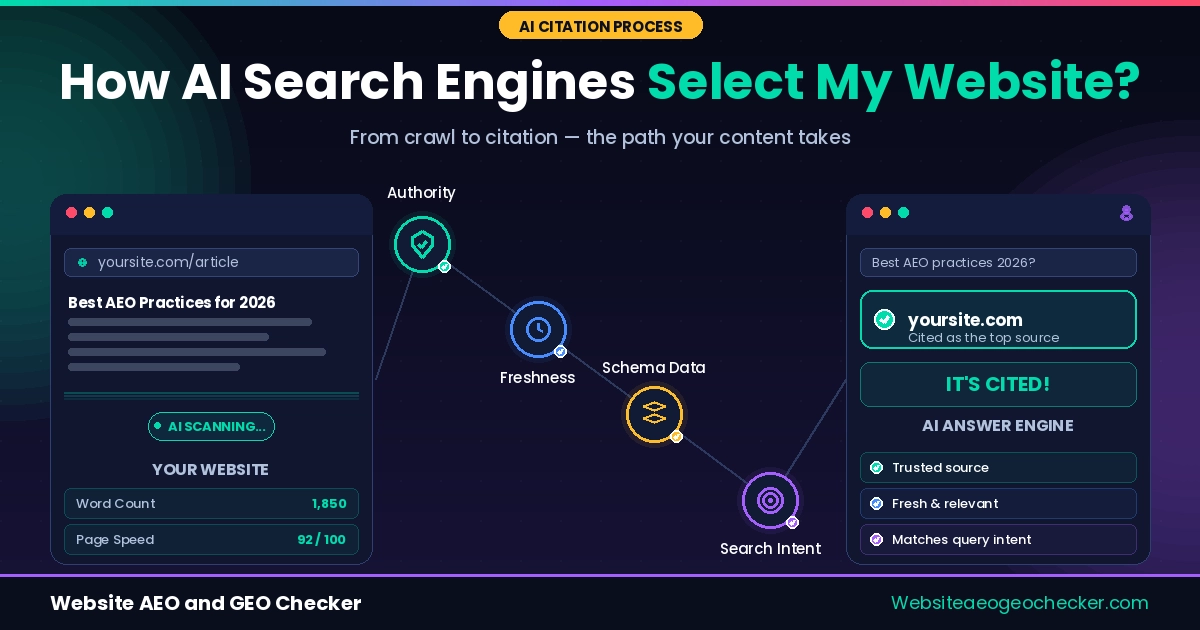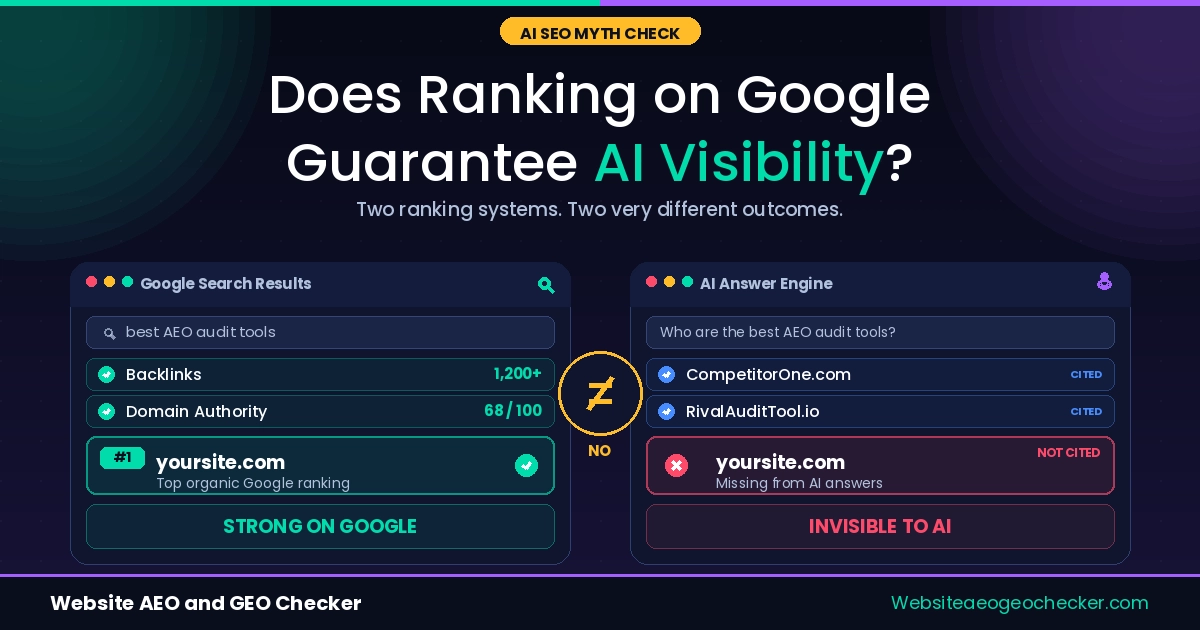
Somewhere right now, someone is asking ChatGPT the exact question your best page answers. And your site is not in the response. Not because your content is weak. Because the model never got far enough to find out.
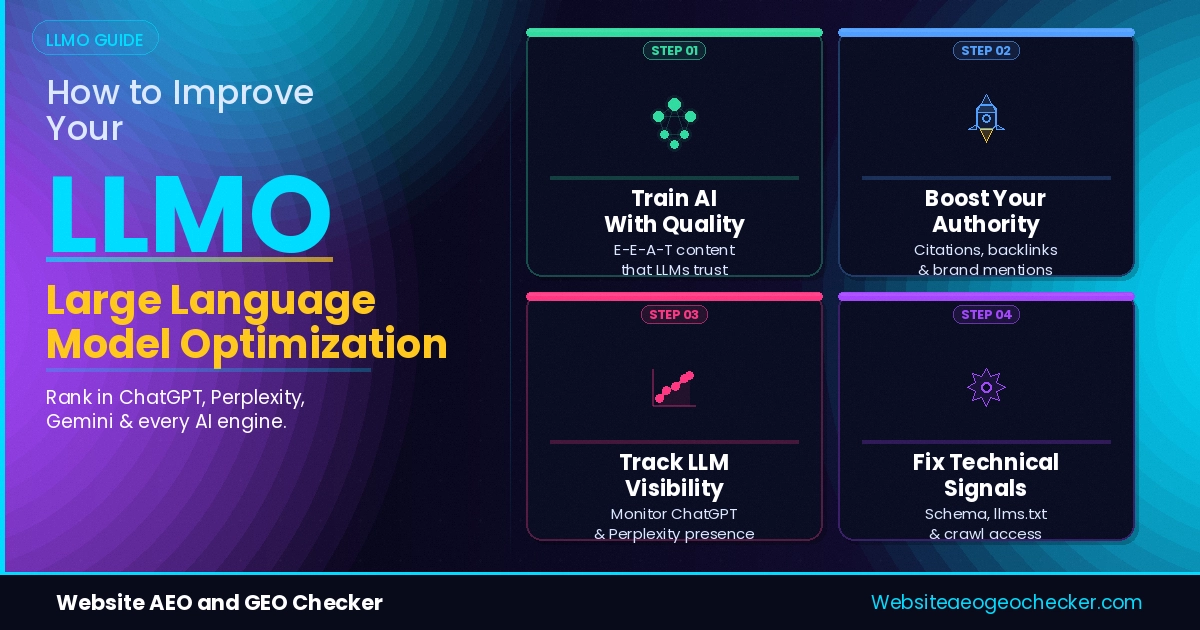
Large Language Model Optimization (LLMO) helps models find and cite important information on your webpage. You don't need to add more content; most changes take less than a day, and some can be finished in under an hour.
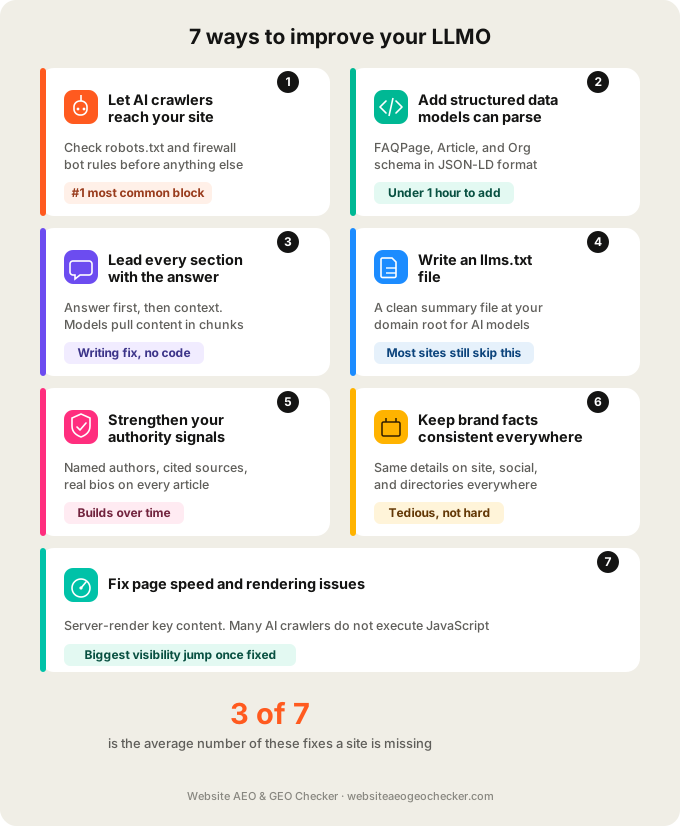
There are seven methods you can immediately begin implementing to enhance your webpage content for large language models.
What Large Language Model Optimization Actually Means
LLMO sits underneath terms like AEO and GEO. Think of it as the foundation layer. Before your content can be cited as a source, or quoted directly inside a generated answer, the model has to be able to access, parse, and trust it in the first place. That access and trust layer is what LLMO covers.
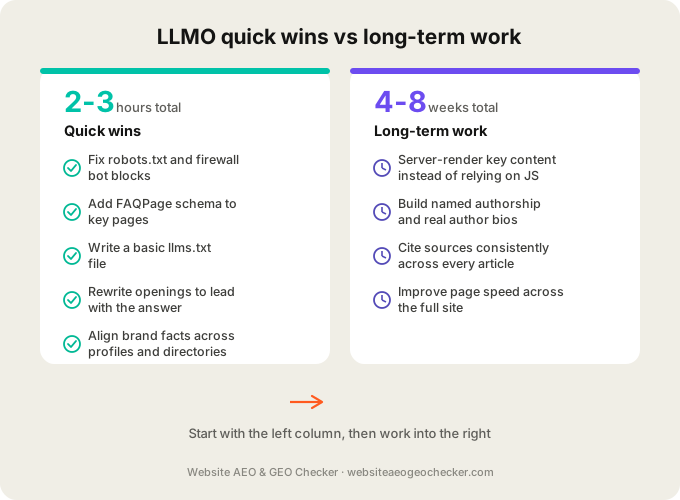
This method often brings the fastest results. Usually, language models can't access your webpage not because there isn't enough content, but because a crawler is blocked or the schema isn't set up. Finding and fixing these problems is usually quick.
Almost every site we check has good content sitting behind a closed door. The content was never the issue. The door was, says the team at Website AEO GEO Checker.
1. Let AI Crawlers Actually Reach Your Site
This is the first and most frequent cause we identify in situations where a webpage contains significant information for large language models, yet they are unable to access it.
Language models can gather information via a network of bots, including OpenAI's GPTBot, Bing's OAI-SearchBot, and Google-developed models. If you have these bots blocked in your "robots.txt" file, or if your security plugin is mistakenly identifying them as harmful traffic, language models will be unable to access your content.
We see this constantly on WordPress sites running Wordfence or similar firewall plugins. The bot protection setting blocks "unknown" user agents by default, which includes every AI crawler. One site we checked had been blocking GPTBot for over a year without anyone noticing, simply because a security update three updates back had quietly added it to a default blocklist. Check your robots.txt file directly at yoursite.com/robots.txt, and run a proper check with the AI Crawler Checker to see exactly which bots can and cannot reach you.
2. Add Structured Data the Model Can Parse
Large language models do not read a page the way a person does. They rely heavily on structured signals to understand what a page is about and how to categorize it.
Schema markup written in JSON-LD format is the clearest way to hand that information over directly. FAQPage schema tells a model your page answers specific questions. Article schema signals editorial content. Organization markup ties your site to a real, verifiable entity. According to Google's search documentation, structured data plays a meaningful role in how systems understand and surface page content, and this extends directly to how AI tools parse and use that same content. You can see the full list of available schema types on Schema.org.
If you only have time for one schema type this week, add FAQPage to your highest-traffic pages first.
3. Lead Every Section with the Answer
This is a writing fix, not a technical one, and it matters just as much.
Language models often pull content in pieces. If the context you provide takes multiple paragraphs and each paragraph builds upon the previous, the model may not ever access the answer you're providing. Open each section with the direct answer. Explain and qualify after.
This same principle is at the center of Generative Engine Optimization, which focuses specifically on getting your exact phrasing pulled into generated answers rather than just listed as a source. You can read more about that distinction in our GEO Checker overview if you want to see how your current phrasing scores.
4. Write an llms.txt File
This is a newer addition to the LLMO toolkit and most sites do not have one yet, which makes it a low effort way to stand out.
An llms.txt file sits at the root of your domain, the same way robots.txt does, and gives language models a clean, structured summary of what your site contains and where the most important content lives. Think of this file as a clear and concise description of your website's structure and content. More and more AI companies are implementing this file, and while it won't guarantee that your website is cited, it will make it more likely.
A basic llms.txt file is just a Markdown document at yoursite.com/llms.txt, and it typically includes:
- A short summary of what your site or business does, written in plain language
- Links to your most important pages, grouped by category
- A brief description next to each link explaining what that page covers;
- Any sections you specifically want models to prioritize, such as documentation, pricing, or your core guides
- Optional notes on content you would rather models not summarize or quote directly
You do not need every page listed. Focus on the ten to twenty pages that represent your site's most valuable content. Run your domain through the Free llms.txt Checker to see whether you already have one, and if not, what a basic version should include for your site.
5. Strengthen Your Authority Signals
A model does not just need to find your content. It needs a reason to trust it over a competing page that says something different, especially on topics where multiple sources disagree or where facts change over time.
You need fully qualified, named authors to publish and back up every claim you make. Pages that state facts without named checkable references are likely to be seen as untrustworthy. This also applies to search engines under the EEAT (Expertise, Experience, Authoritativeness, Trust) model.
A handful of changes tend to move the needle most:
- Add a real author byline to every article, with a name, not just "Admin" or your company name
- Link each author to a short bio page that establishes who they are and why they are qualified to write on the topic
- Cite your sources by name when you state a statistic, study finding, or claim that came from somewhere else;
- Keep a visible publish date and update date on every article, since models weigh recency when content covers anything time sensitive
- Avoid unattributed absolute claims like "studies show" without naming which study
If your site structure is still missing a named author with a short, verifiable biography, put off everything else on your revision site checklist to prioritize this. Adding this is relatively simple and requires no editing of your existing structure.