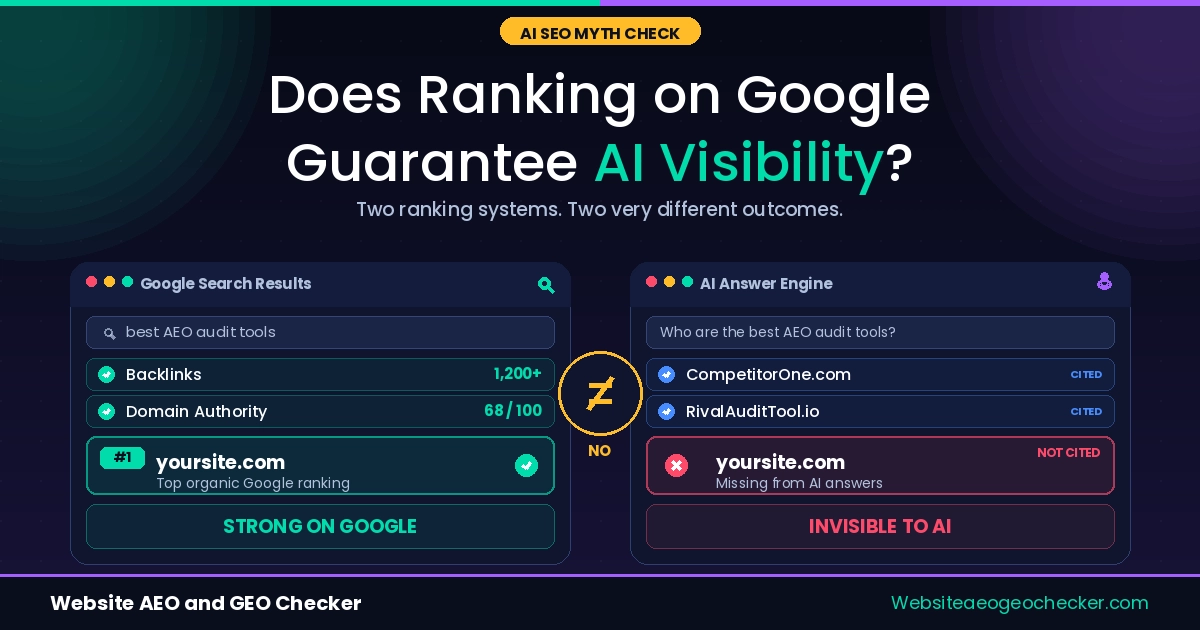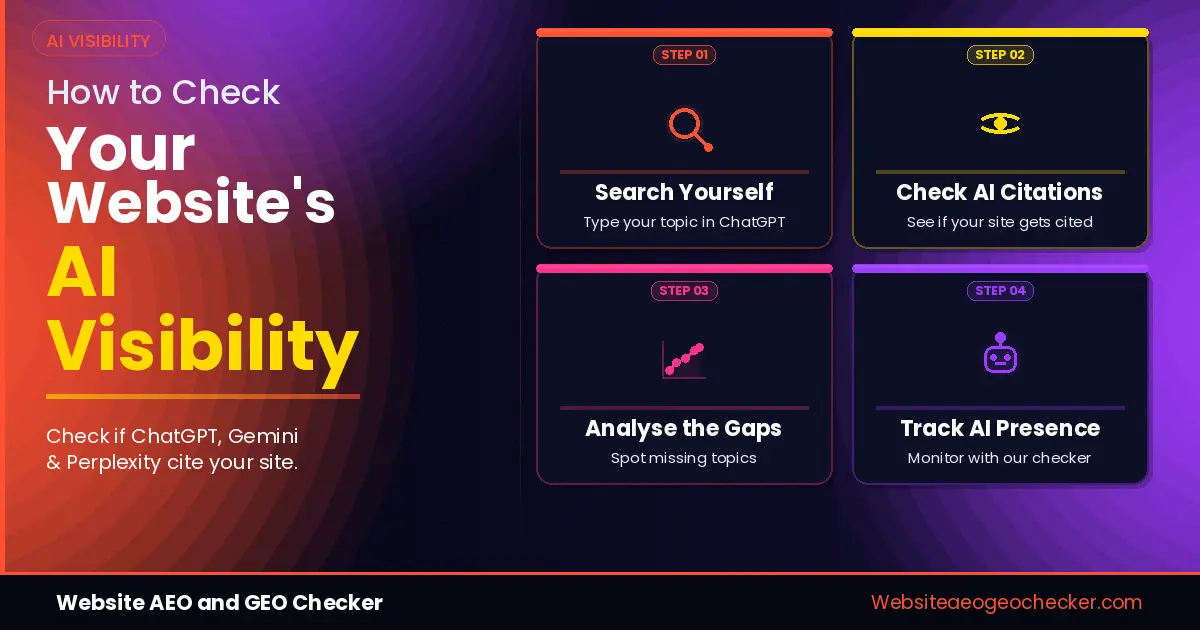
Here is a situation more and more website owners are describing right now. You Google your own topic and your site is on page one. You ask ChatGPT the same question and a different site gets cited. You try Perplexity. Same result. You check Gemini. Still nothing.
You could call it an AI visibility problem. The thing is, you won't see it in your analytics the way you would a decline in Google traffic. There is no red line to point at, no alert to tell you what is happening. The traffic just doesn't come because the AI has already put an answer in front of the user before they have a chance to click.
Take the numbers from Brandlight that 5W Research put in a report: the common ground between pages that rank well on Google and those that AI will cite has all but vanished, down from 70 per cent to less than 20 per cent. A spot on page one of Google may put you in the mix for the AI engines to consider, but whether they actually use your content is another matter entirely and something most site owners can't put a finger on.
By the end of this article you will know exactly how to measure your AI visibility for free, what your score means, and which fix to make first if it is low.
What Is AI Visibility and Why Is It Different From Google Rankings?
AI visibility is how often and how reliably AI-powered answer engines like ChatGPT, Perplexity, Gemini, and Google AI Overviews find, read, and cite your content when users ask questions in your topic area.
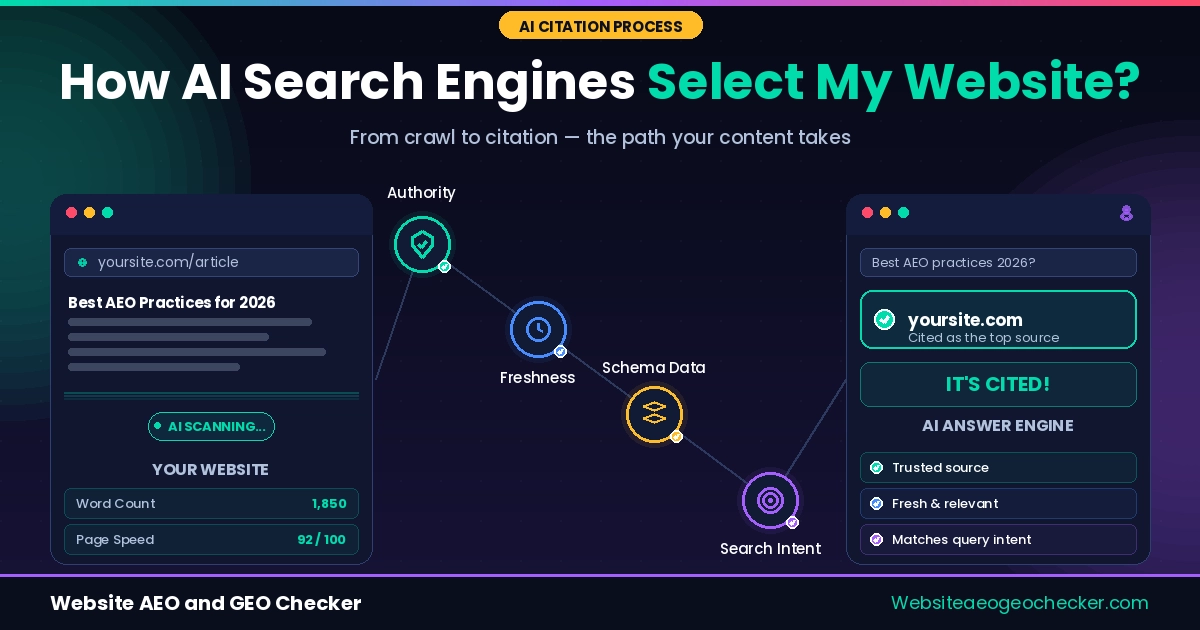
It is not the same as a Google ranking. Google looks at backlinks, domain authority, and keyword relevance. AI engines are more concerned with entity trust signals, crawl access and structured data when they decide to quote a passage. They share some of the same criteria, sure, but you can't assume one will carry over to the other.
AI Search Graders vs AI Visibility Checkers
While these two phrases have come to refer to the same kind of tools, “grader” language draws on lead-gen marketing tools, where the score is used to capture an email. The job of a visibility checker is diagnostic and the score is the entry point, not the product. When comparing free options, make sure you check whether you will get a fix list or just the score because that is the real difference, not the tool name.
Then there is the growth to contend with. In the first five months of 2025 alone, traffic coming from AI was up 527% year over year. It is a fast-moving channel, and it compounds. For every month your site is not part of an AI answer, you are missing out on visitors, and Search Console will never be the wiser.
The good news is that checking your AI visibility takes under two minutes and costs nothing.
Key Points: How to Check AI Visibility
- • AI visibility has three distinct layers: technical accessibility, content readiness, and brand citation performance. Checking only one gives an incomplete picture of where your site actually stands.
- • Manual prompt testing across ChatGPT and Perplexity gives directional insight, but AI Mode produces overlapping results with itself just 9.2% of the time, making systematic tool based auditing essential for reliable measurement.
- • 85% of websites publish no AI crawler policy at all, and 10% actively block GPTBot, meaning most sites have undetected technical accessibility issues that no traditional SEO tool would flag.
- • When you run your site through Website AEO GEO Checker, it evaluates all three AI visibility layers in a single free audit, covering technical access, content structure, and citation signals simultaneously.
What Signals Actually Determine Whether AI Tools Cite Your Website?
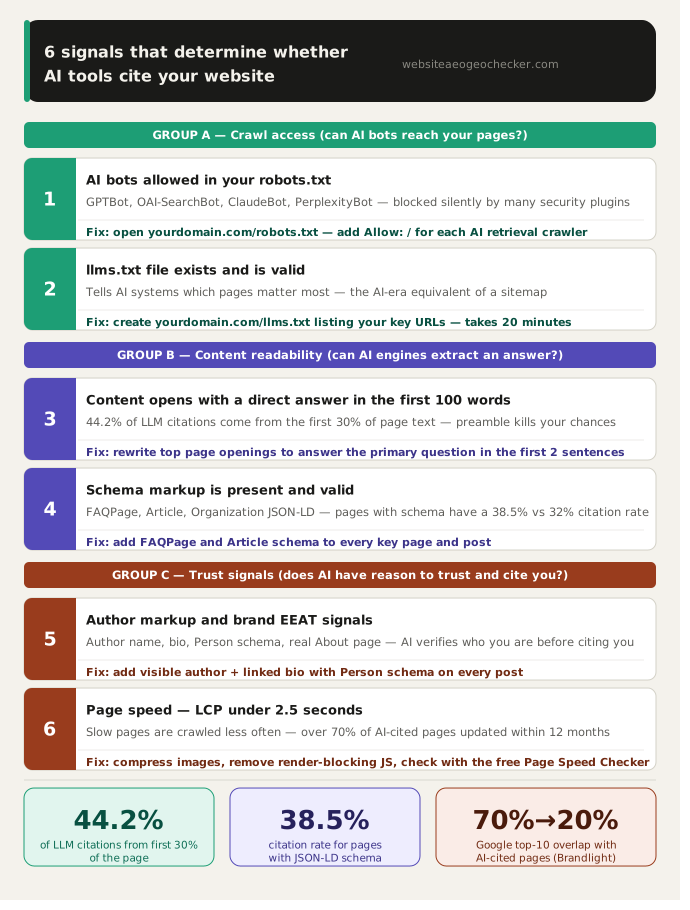
Six specific signals determine whether AI engines find, trust, and cite your content. Each one is a distinct failure point. Understanding them tells you exactly what the checker is testing and why.
Are AI bots allowed to crawl your site?
The most common reason for complete AI invisibility is that bots like GPTBot (OpenAI), OAI-SearchBot (ChatGPT live retrieval), ClaudeBot (Anthropic), and PerplexityBot need access to your web pages. Unfortunately, security plugins, CDN settings, and outdated robots.txt rules can block them without the site owner even realizing it.
There is an important distinction here: GPTBot and ClaudeBot are training crawlers, while OAI-SearchBot and Claude-SearchBot are live retrieval crawlers that power real-time citations. You can block training crawlers while allowing retrieval crawlers, which gives you AI citation visibility without contributing your content to model training. Most sites have not made this distinction at all. Read the full guide on how to fix your robots.txt for AI crawlers and check your current configuration in two minutes.
Is your content structured to answer direct questions?
When it comes to AI Overview content, it changes about 70% of the time for the same query. Plus, when a new answer is generated, around 45.5% of citations are swapped out for fresh ones. The pages that manage to withstand this constant churn are typically those designed for easy extraction: they provide a direct answer within the first 100 words, use question-led H2 headings, and feature short, self-contained paragraphs that make sense on their own.
If your pages start with background information and a lengthy introduction before getting to the actual answer, AI engines are likely to skip over to a competitor who gets straight to the point. This is the most significant factor affecting AI citation frequency, and it doesn't require you to rewrite your content, just rearranging it will do the trick.
Real example: Rania, a digital marketing consultant, noticed a competitor being cited in ChatGPT answers for queries she ranked for on Google. She ran the Free AI Visibility Checker on her agency site and received a score of 31. The checker flagged three issues: GPTBot was blocked by her firewall plugin, she had no FAQPage schema on any page, and twelve blog posts had no author markup. She fixed all three in one afternoon. 4 weeks later, two of her posts started appearing in Perplexity answers for marketing automation queries.
Do you have schema markup AI engines can read?
When it comes to schema types, FAQPage, Article, and Organization JSON-LD are the 3 that really matter for AI citation. Pages that utilize schema markup see a noticeably higher citation rate compared to those that don't, as schema provides AI retrieval systems with clear information about what your page is, who authored it, and what questions it addresses. Without schema, your page is just an anonymous block of text to an AI engine, no matter how well it is written.
Google's structured data documentation covers the markup types and validation tools. Pages with FAQPage, HowTo, Article, and Person schema are significantly more likely to earn AI citations than equivalent pages without markup. The full breakdown of implementation is in our article on how structured data helps AI find your content.
Is your site fast enough to be crawled regularly?
AI bots allocate crawl budget the same way Googlebot does. Content freshness decays rapidly in AI search: newly published content can begin generating AI citations within three to five days, versus three to 6 months for a Google ranking. That recency advantage only exists if AI bots are recrawling your pages regularly. Slow LCP scores and failing Core Web Vitals reduce how often AI crawlers return. Check your current scores with the Page Speed Checker and target an LCP under 2.5 seconds on mobile.
Does your site have author and brand trust signals?
According to Ahrefs research from December 2025, YouTube mentions and branded web mentions are the main factors linked to AI brand visibility in ChatGPT, AI Mode, and AI Overviews. AI engines confirm your brand is real and credible when your name appears regularly on your website, LinkedIn, industry directories, and third-party publications. Trust signals like author markup with Person schema, a detailed About page with clear credentials, and consistent brand messaging across the web help set a citable source apart from an anonymous page.
Do you have an llms.txt file?
llms.txt is a plain text file at yourdomain.com/llms.txt that tells AI systems which pages on your site are most important. It is the AI-era equivalent of a sitemap. Multiple large-scale studies have found it currently has limited direct impact on citation rates, but it takes 20 minutes to create, costs nothing, and signals to AI systems that your site is actively maintained for machine readability. Fix crawlability and schema first. Add llms.txt after.
The six signals in this list are not equally weighted. Crawlability is the gatekeeper. Schema is the translator. Content format is the differentiator. Get them in that order. - Website AEO GEO Checker
How Do I Check My Website's AI Visibility Step by Step?
The full check takes under two minutes. Here is what each step is testing and what a red flag looks like at each one.
Step 1: Go to websiteaeogeochecker.com and enter your full URL Include the https prefix. Start with your homepage first, then run the same check on your single highest-traffic page. These two pages give you the clearest picture of your site's baseline AI readiness.
Step 2: Read your AEO score This checks crawlability, structured data, and content format. If your score is below 40, AI bots usually cannot access your pages or your site has no schema. Scores between 40 and 55 mean bots can reach your site, but your content is not set up for extraction. The checker pinpoints which of these three areas is lowering your score.
Step 3: Read your GEO score This checks if your site has author tags, consistent branding everywhere, and an About page that actually gives AI the info it needs to know who you are. It also looks for trust signals that make your content reliable instead of just another anonymous website. If your GEO score is low but your AEO score looks okay, it basically means search engines can find your site, but don't really trust it yet.
Step 4: Check your page speed results LCP is the key number. Under 2.5 seconds is good. Over 4 seconds means AI crawlers are deprioritising your pages in favour of faster competitors covering the same topic.
Step 5: Check your LLM signals Here, you can see if your robots.txt lets AI bots like OAI-SearchBot and PerplexityBot in, if your big pages have the right schema, and if you've got an llms.txt file set up. The fastest thing you can fix is unblocking those bots; it takes about ten minutes and can change your site's citation status as soon as they crawl again.
Step 6: Note your weakest category and start there The checker flags your lowest-scoring area automatically. That is where you start, not the easiest fix but the highest-impact one.
What Does My AI Visibility Score Actually Mean?
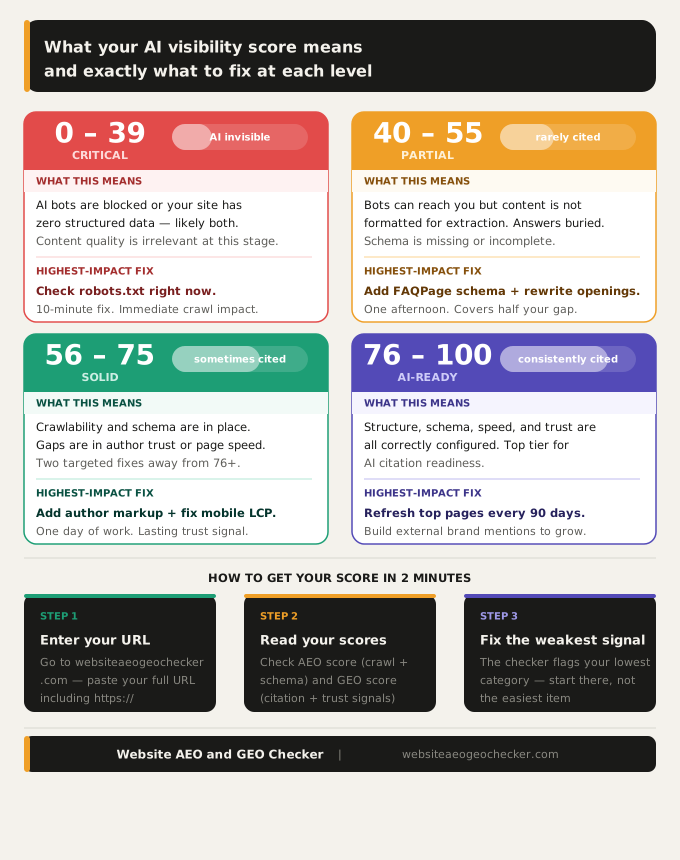
Score below 40: your site has a fundamental blocker
Almost always a blocked AI crawler, zero structured data, or both. Fix your robots.txt first. Nothing else on this list matters until bots can reach your pages.
Score 40 to 55: you are reachable but not extractable
AI bots can crawl you but your content is not formatted for citation. Your pages likely open with introductions rather than direct answers, your headings are labels rather than questions, and your paragraphs are too long to extract as standalone passages. Apply the method in our answer-first content guide for AI engines to your top five pages, and add FAQPage and Article schema across those same pages.
Score 56 to 75: solid foundation, gaps in trust signals
You have already got crawlability and schema mostly handled. The sticking points are usually missing author info, a vague About page, or a slow mobile site. Add a clear author name and bio to every post and link it to an author page with Person schema. If you want search engines and AI to trust your content more, this is the move that makes the biggest difference at this stage.
Score 76 to 100: AI-ready, focus on freshness and brand mentions
Your site's set up and ready. Next, you've got to keep things lively - don't let your important pages gather dust. Try updating your big pages at least every three months. After that, aim to get your brand mentioned on respected sites. When that happens, AI tools are more likely to trust your brand.
According to the March 2026 AI Brand Visibility Report, nearly 60% of links in AI search results come from list-style articles. That's a pretty loud hint: start making useful lists and comparison content now.
A site scoring 76 or above did not get there by accident. It got there because someone checked three specific signals and fixed them in order. The check itself is the step most sites skip. - Website AEO GEO Checker