Most websites have an invisible problem.
Not invisible to humans. Invisible to AI.
ChatGPT, Perplexity, and Google AI Overviews can access billions of websites via crawlers. But if your crawlers are blocked, your JavaScript is not rendered, your site is too slow, or your structure is disorganized, AI systems will skip your site entirely. Your content will never be cited or surfaced.
The problem is that none of this shows up in your Google Analytics. Your rankings will be fine. Your traffic will be normal. But you will not exist in the AI layer of search.
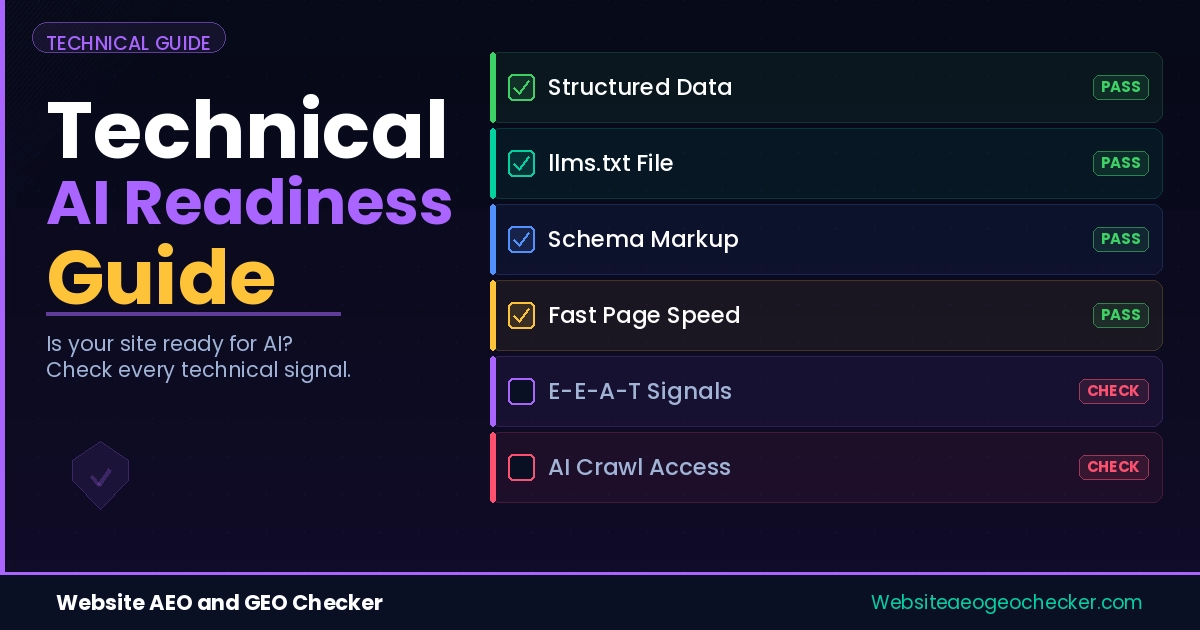
This guide covers every technical layer that determines whether AI systems can find, read, trust, and cite content from your site. Each section includes checklists with instructions on what to fix and how.
If your website is not optimized for AI answer engines, you are already invisible in a growing share of search traffic. - Website AEO GEO Checker
How AI Crawlers Differ from Google
Before fixing anything, it helps to understand what you are fixing for.
Google's crawler renders JavaScript, follows redirects, and processes dynamic content. It is a sophisticated search engine with years of refinement.
AI crawlers are different. Research from SALT.agency confirms that most AI crawlers fetch raw HTML rather than rendering JavaScript or waiting for dynamic content to load. They operate with tight compute budgets and connection timeouts of one to five seconds. They do not click buttons, fill forms, or follow JavaScript-triggered navigation.
What they see is essentially what you see when you disable JavaScript in your browser and load a page. If your content is not in the raw HTML, it is not visible to most AI systems.
This is the foundation everything else builds on.
Layer 1: Crawler Access
Check Your robots.txt File
Your robots.txt file is the first thing AI crawlers check. If it blocks them, nothing else on this page matters.
Open yoursite.com/robots.txt in your browser. Look for any of these:
User-agent: GPTBot
Disallow: /

User-agent: OAI-SearchBot
Disallow: /

User-agent: PerplexityBot
Disallow: /

User-agent: ClaudeBot
Disallow: /
Any Disallow: / under those bot names means that platform cannot read your site. Change it to Allow: / for each one you want to permit.
GPTBot alone generates around 569 million monthly requests. ClaudeBot follows at 370 million. These are not marginal crawlers. They represent the access layer for the platforms where your customers increasingly look for answers.
Also check for wildcard rules. A global User-agent: * with Disallow: / blocks every bot including AI crawlers unless you explicitly override it.
Use our free robots.txt Checker to audit your current configuration and see exactly which AI crawlers are allowed or blocked.
Check Your CDN and Firewall Settings
Your robots.txt might be clean and AI crawlers might still be blocked. This is one of the most common issues we find.
Many websites have their crawlability undone by CMS or hosting provider settings. Your host-level firewall or web application firewall (WAF) settings may need adjustments. In many cases where an AI crawler is blocked, the hosting provider can resolve the issue, or the IP ranges of the bot can be added to a whitelist.
Cloudflare has been blocking AI crawlers by default since changing how bot protection works. Under Security > Bots in your Cloudflare site settings, look for all rules that treat GPTBot or PerplexityBot as threats and either remove them or add explicit allow exceptions.
Verify by checking your server logs. If GPTBot is listed with 403 or 0-byte responses, a firewall is the cause regardless of what your robots.txt says.
Add Your Site to AI Platform Indexes
Some AI platforms allow direct submission. OpenAI allows site verification through SearchGPT. Bing's webmaster tools feed directly into Copilot. Google Search Console feeds into AI Overviews. Submit your XML sitemap to all three. Keep your lastmod timestamps accurate. XML sitemaps provide structured metadata that AI systems rely on to prioritize and understand your content, clarifying your site's architecture and topic relationships.
Layer 2: Rendering and Page Structure
Fix JavaScript Rendering
This is the issue that catches the most modern sites off guard.
AI crawlers do not execute JavaScript, which means they see only the raw HTML of a page. Any critical content or navigation elements that rely on JavaScript will not be rendered by AI crawlers, and answer engines will not be able to fully cite or understand those elements.
If your site uses React, Vue, Angular, or a JavaScript-heavy builder, test what AI actually sees. Disable JavaScript in your browser (Chrome DevTools > Settings > Debugger > Disable JavaScript) and reload your key pages. If the main content disappears, AI crawlers see the same blank page.
The fix is server-side rendering (SSR) or static site generation (SSG). With Next.js, use getStaticProps or getServerSideProps. With Nuxt, enable SSR mode. Most modern builders have a pre-render option. Enable it for all public-facing content pages.
Industry data shows that server-side rendering is the only way to ensure AI-driven platforms reliably access and index your schema. This is not optional if your content depends on JavaScript to render.
Clean Up Your HTML Structure
AI crawlers use your HTML structure to understand what your content is about and how it is organized. Section headers that use bold paragraph tags instead of correct H2 and H3 tags remove context. Proper nesting of headers is a must. Every H3 must be a direct child of H2 in the hierarchy, and clean, semantic HTML is essential.
Audit your key pages for:
- Headings in correct H1, H2, H3 hierarchy (one H1 per page, no skipped levels)
- Content in semantic HTML tags: article, section, main, nav, aside
- Lists formatted as ul and ol, not styled divs
- Tables for comparison data (AI extracts tabular data reliably)
- No important content hidden inside modals, tabs, or accordions that require JavaScript to open
AI models are highly biased toward extracting data from list HTML tags because they represent concise, factual statements. If building a comparison page, structured table data is extracted far more effectively than multiple paragraphs.
Keep Your HTML Payload Lean
From analysis of 2,138 websites cited by AI tools, crawlers abandoned requests for 18% of pages larger than 1 MB of HTML. That is a significant proportion of pages that simply never get read because they are too heavy.
Target raw HTML payloads under 1 MB. Remove unused CSS and JavaScript from the head. Avoid inline scripts that bloat the initial HTML response. Use your browser's View Source (not Inspect) to see what AI crawlers actually receive, and check the file size.
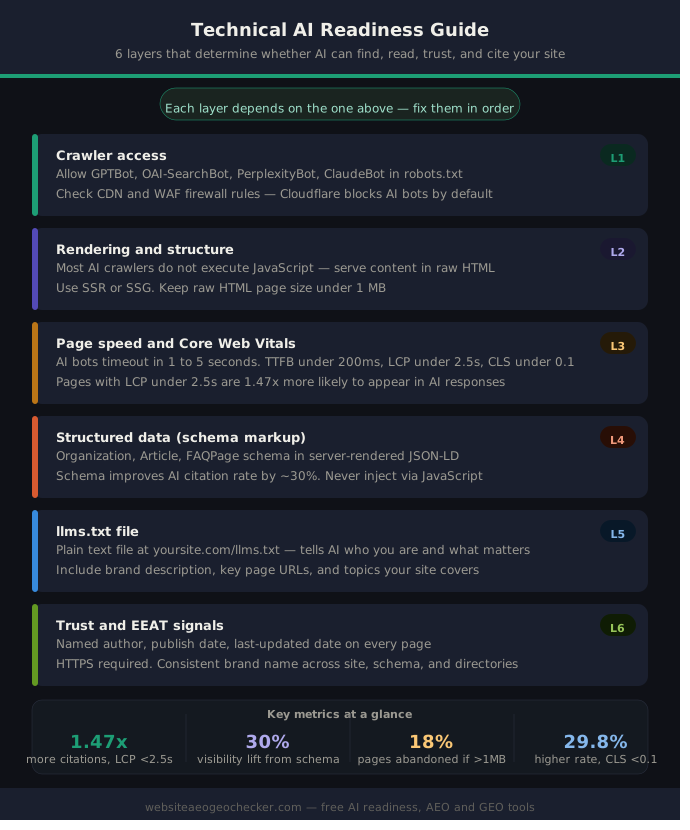
Layer 3: Page Speed and Core Web Vitals
AI crawlers operate with hard timeouts. AI bots have strict compute budgets and tight timeouts of one to five seconds. Target TTFB under 200ms, keep HTML payloads under 1 MB, and maintain Core Web Vitals in the good range: LCP under 2.5 seconds, CLS under 0.1.
Pages delivering LCP under 2.5 seconds were 1.47 times more likely to appear in AI outputs than slower pages. Sites with CLS under 0.1 recorded a 29.8% higher inclusion rate in generative summaries. TTFB under 200ms correlated with a 22% increase in citation density.
These are significant differences for changes that are largely technical and repeatable.
Fix LCP First
LCP (Largest Contentful Paint) is the time until your main content appears. The most common causes of slow LCP:
- Uncompressed hero images (use WebP, set explicit width and height, add loading="eager" to above-fold images)
- Render-blocking scripts in the head (move to end of body or add defer)
- No CDN (serve assets from a CDN closest to your users)
- Large font files loading before content (use font-display: swap)
Fix CLS
CLS (Cumulative Layout Shift) measures how much the page jumps around as it loads. AI crawlers parsing an unstable DOM get inconsistent extraction results. Fix CLS by:
- Setting explicit width and height on all images and video embeds
- Reserving space for ads and dynamic content that loads after the page
- Avoiding injecting content above existing content on load
Fix TTFB
TTFB (Time to First Byte) is the server response time. Speed gets AI crawlers to your page. Structure keeps them there and helps them understand what to cite. Reduce TTFB with server-side caching, a CDN for HTML delivery, and by removing database queries from the critical rendering path.
Use our Page Speed Test with AI Readiness to check all of these metrics alongside your AI visibility score.
Layer 4: Structured Data
Schema markup translates your content into machine-readable labels that AI systems can parse directly. Without it, AI has to infer what your content is. With it, the content type, author, date, and meaning are stated explicitly.
Schema markup improves AI search visibility by approximately 30% by helping LLM crawlers extract and parse structured content through RAG systems. JSON-LD structured data explicitly defines entities and content relationships, making pages more likely to be retrieved and cited.
The Schema Types That Matter Most
Organization schema (homepage): Establishes your brand as a verified entity with a name, URL, description, logo, and contact information. This is the foundation. Without it, AI systems have no machine-readable confirmation of who you are.
Article schema (blog posts and guides): Identifies the author, publish date, last-modified date, and content type. These are exactly the trust signals AI systems check before citing a source.
FAQPage schema (any page with Q&A content): Pre-parses question-answer pairs into a format AI systems can extract directly without interpreting your HTML structure. This is consistently cited as one of the highest-impact schema types for AI citations.
BreadcrumbList schema: Tells AI systems where this page sits in your site hierarchy and topic structure.
All schema should be implemented as JSON-LD in the head of each page. Never use Microdata or RDFa for new implementations. JSON-LD is the only format AI systems consistently parse.
Many websites correctly implement JSON-LD but still miss out on AI visibility because their structured data relies on JavaScript. AI crawlers like GPTBot, ClaudeBot, and PerplexityBot do not execute scripts. Your schema must be present in the raw HTML response, not injected after page load.
Real example: Priya manages the website for a UK-based HR software company. Their blog had consistent Google rankings but zero citations in AI answers. She ran our AEO Checker and found three schema issues: their Article schema was injected via a JavaScript tag manager and therefore invisible to AI crawlers, their homepage had no Organization schema at all, and none of their FAQ content had FAQPage markup. She moved the Article schema to a server-rendered JSON-LD block, added Organization to the homepage, and added FAQPage to their 5 most-visited blog posts. Within 5 weeks, 2 of those posts began appearing in Perplexity responses for queries they were already ranking for on Google.
Validate Your Schema
Use Google's Rich Results Test to check syntax. But also check that your schema is present in the raw page source (View Source, not Inspect). If it only appears in Inspect, it is JavaScript-injected and invisible to AI crawlers.
Always include accurate lastmod timestamps in your sitemaps. AI systems rely on freshness signals to determine whether content is current enough to cite.
Website AEO & GEO Checker helps bridge the gap between traditional SEO and AI-driven search visibility by analyzing how easily AI systems can interpret your content. - Website AEO GEO Checker